Sprints
Plan the sprint from the issues you already track, and follow it on a burndown
Add an issue to a sprint with the Milestone field on its page. The burndown chart shows the work left and the progress of the sprint, without chasing anyone.
Active Sprint
Sprint 14
3 – 16 Oct
Total issues
24
Done
15
Left
9
Time left
4 days
Issues leftIdeal
A burndown from real issues
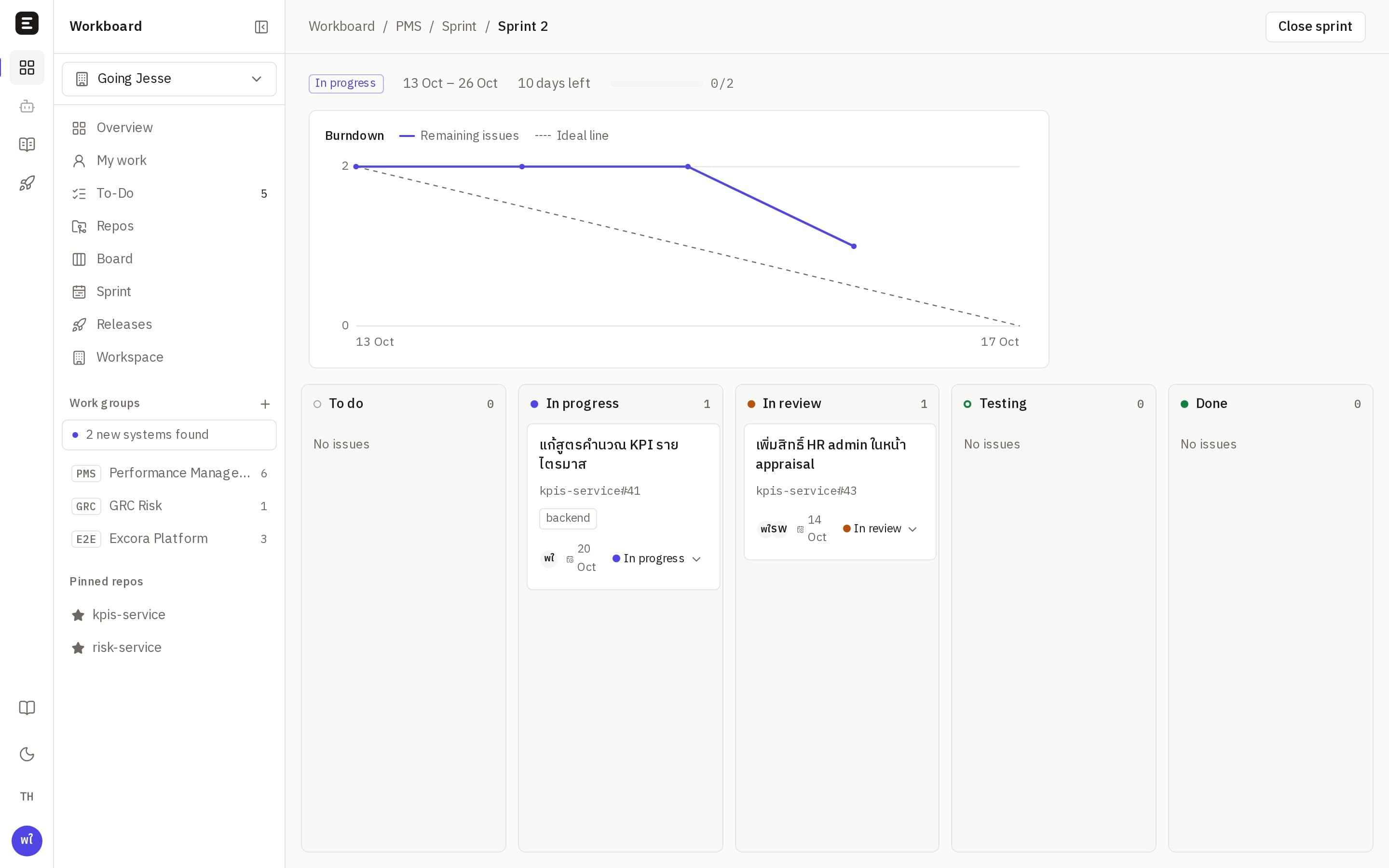
The solid line is the number of issues left each day, and the dashed line is the ideal. When the solid line sits well above it, the sprint is behind. It counts issues, not story points.
Every sprint of a project
A sprint is a GitLab milestone. Each project has its own, with dates, status and how many issues are done. Create sprint fills in a name and two weeks of dates for you.
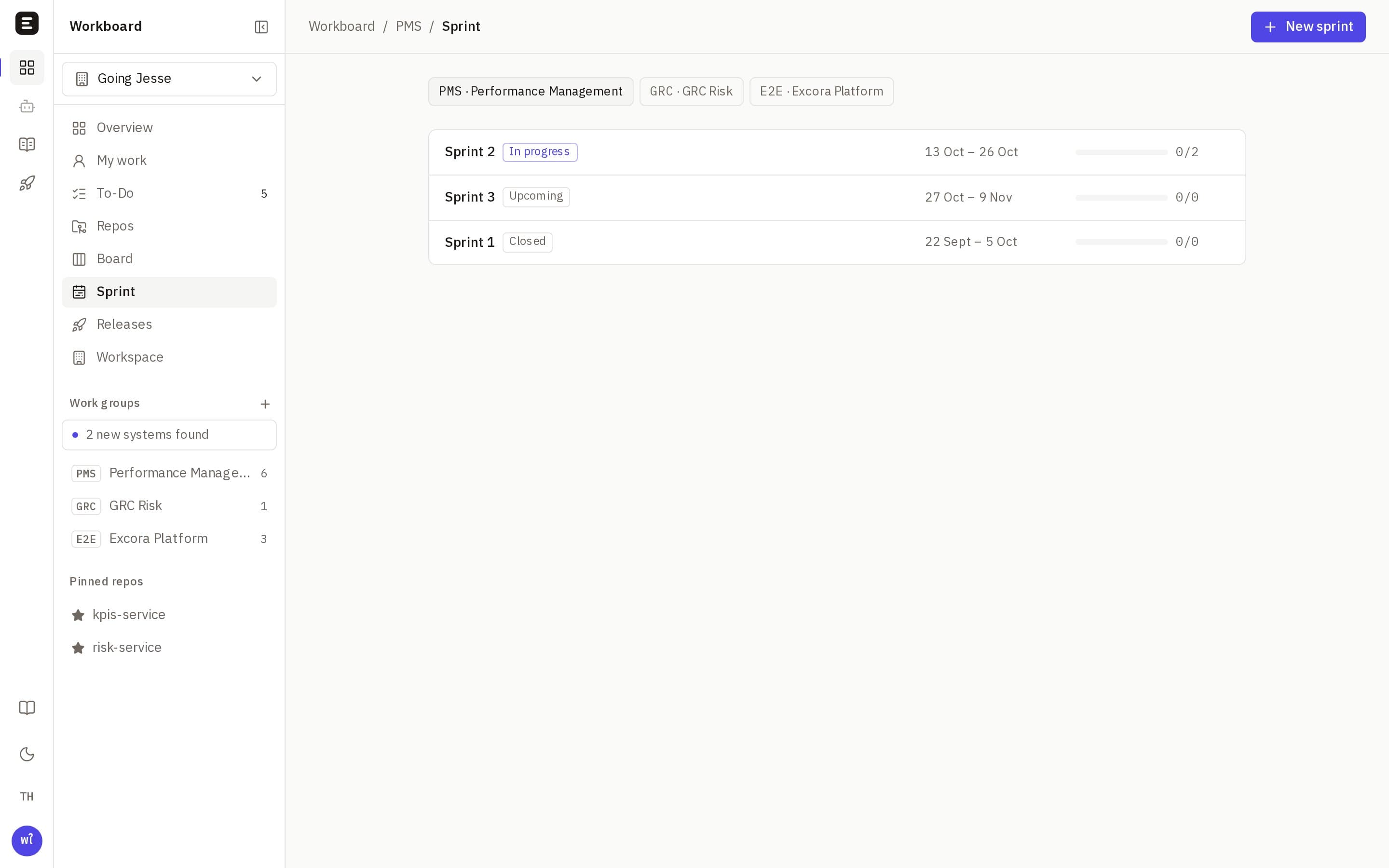
Close the sprint in one step
The sprint page has the days left, the burndown and a board of only its issues. Close sprint moves what is unfinished to the next sprint.
Works with
- WorkboardBoard, issues, my work, to-doOpen
- Issues and codeCommits and MRs link themselves from the issue keyOpen
- Deploy statusEnvironments, branch/tag, deploy repoOpen