Everyone sees what GitLab lets them see
A workspace has an Owner and positions that give the permissions you choose. People can also sign in with an account the workspace makes, and what everyone sees still follows their GitLab access.
Workspace owner
Can do everything in the workspace
Positions · PM, QA, Dev
Permissions the workspace picks
GitLab members
See only what GitLab lets them see
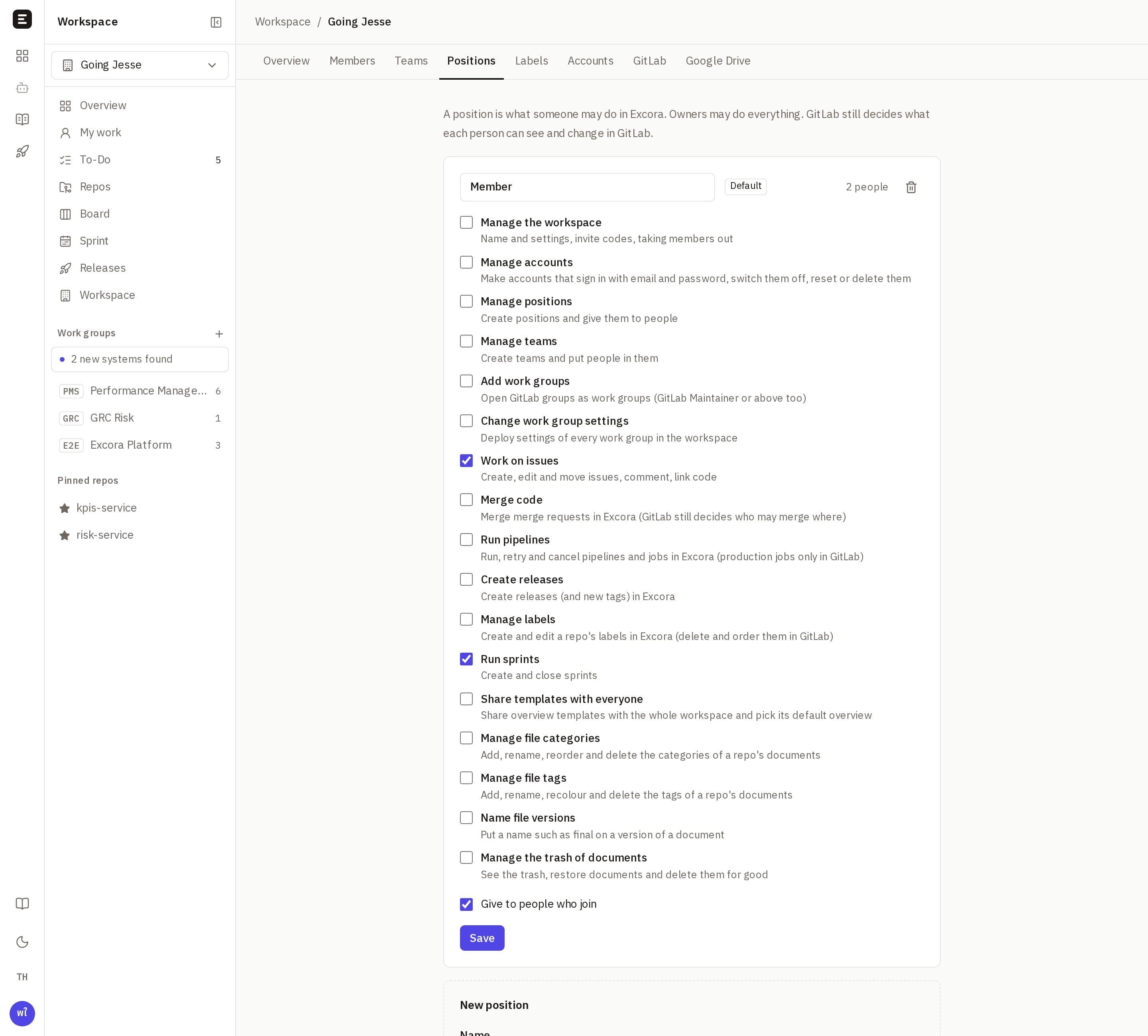
Positions decide what people can do
Tick what each position may do, such as merge code, run pipelines or run sprints. New people get the default position. Nobody can give out more than they have.
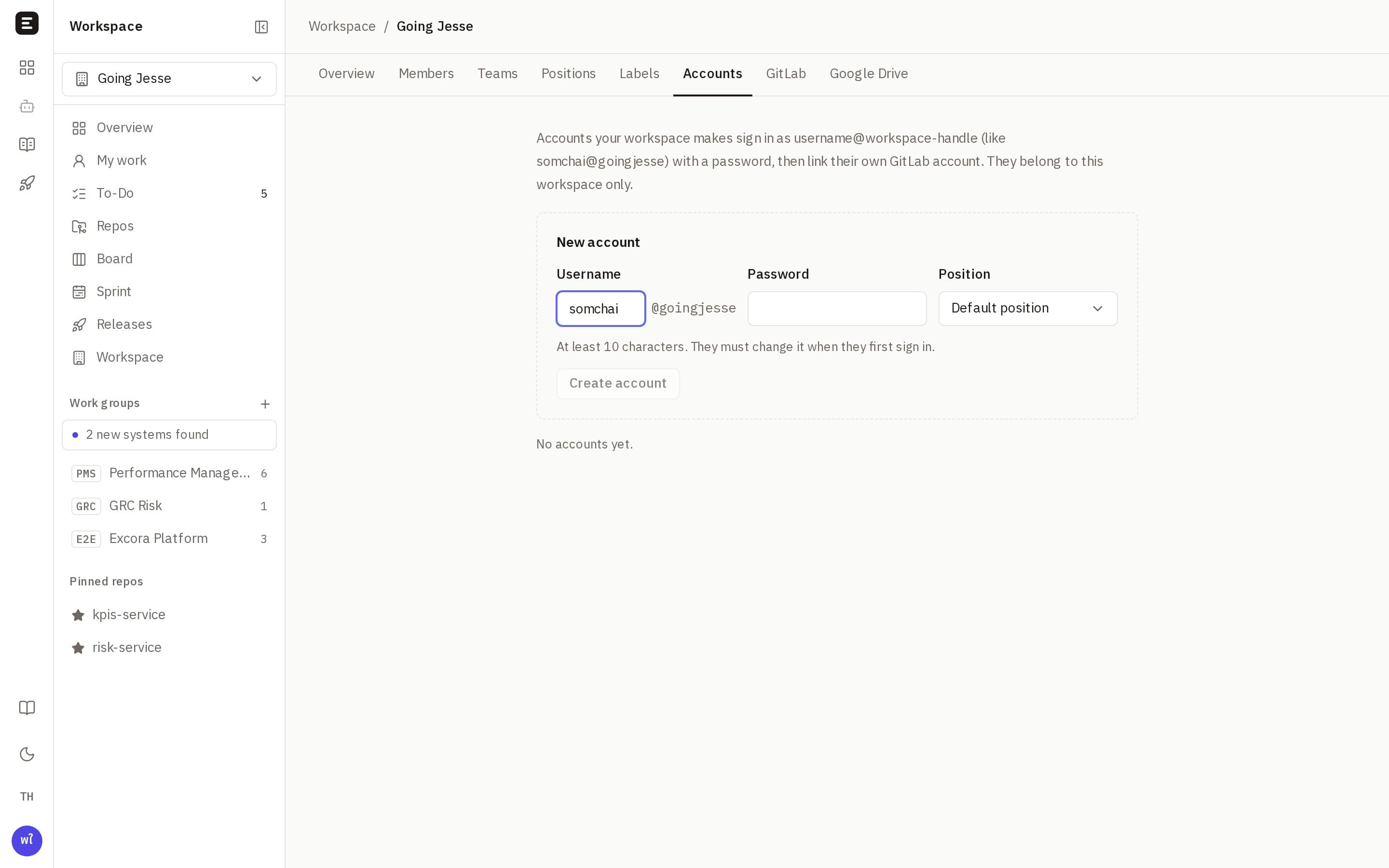
Accounts the workspace makes
Make an account with a username and a password, instead of the GitLab button. The first time, its owner links their own GitLab account, so GitLab still decides what they see.
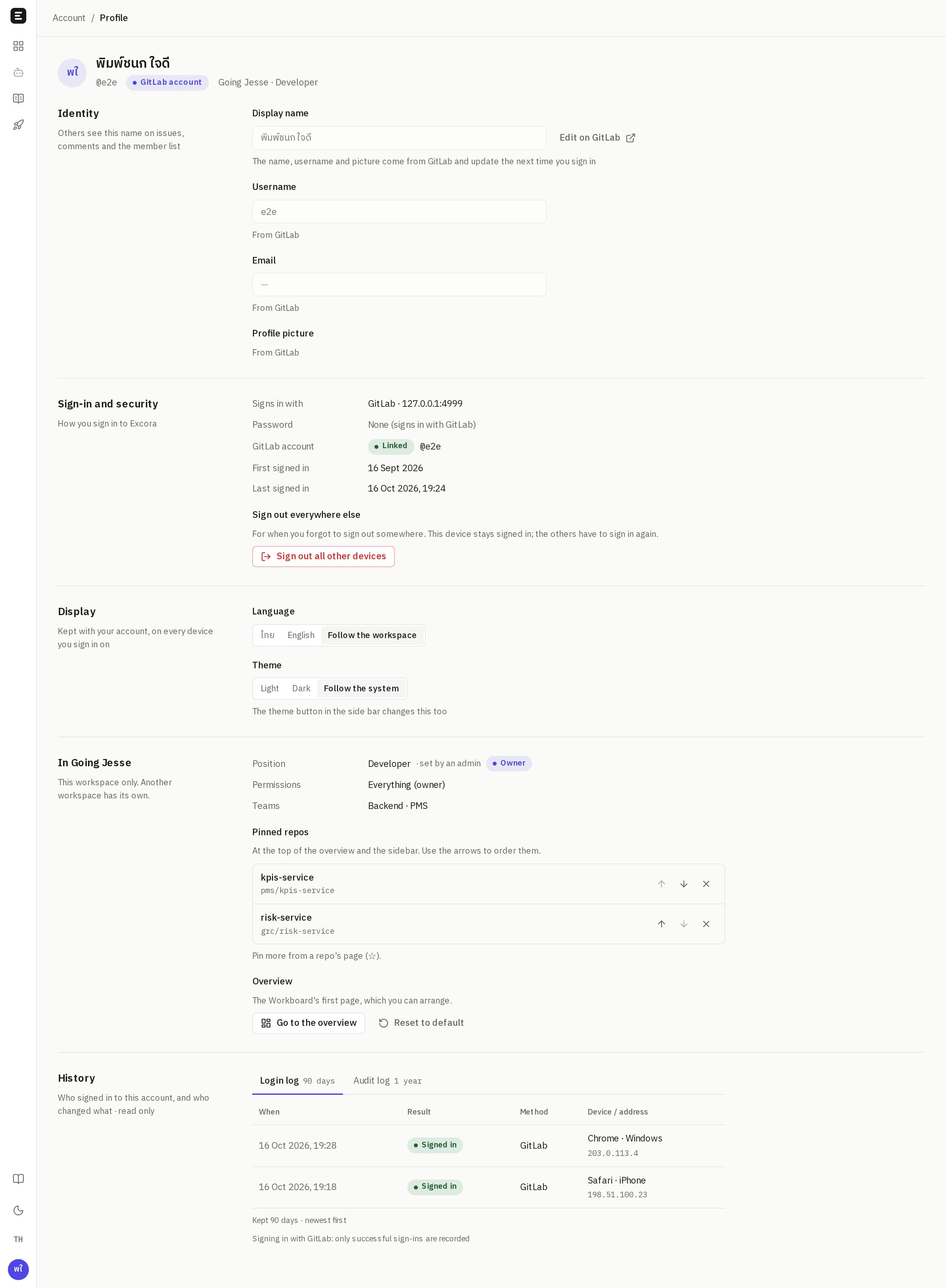
A login log for every account
Everyone can see who signed in to their account and how it went, and sign out every other device. Admins see the same history for the accounts the workspace made.
Works with
- WorkboardBoard, issues, my work, to-doOpen
- Repo documentsSpecs, contracts, diagrams on Google DriveOpen
- Issues and codeCommits and MRs link themselves from the issue keyOpen